Prepare for the inspection.
Review visible concerns and areas the camera missed, then prepare questions for the inspector. If a repair range is available, use it as an initial planning estimate.
For buyer and listing teams
A showing gives clients a lot to take in. Grainwork brings the walkthrough, visible findings and inspection questions into a home review you can discuss together. You check the findings and choose what to share.
Explore the brokerage & client demos Interactive examples · sign in with your Professionals account
Your client can return to the details after the showing.

Inside a buyer review
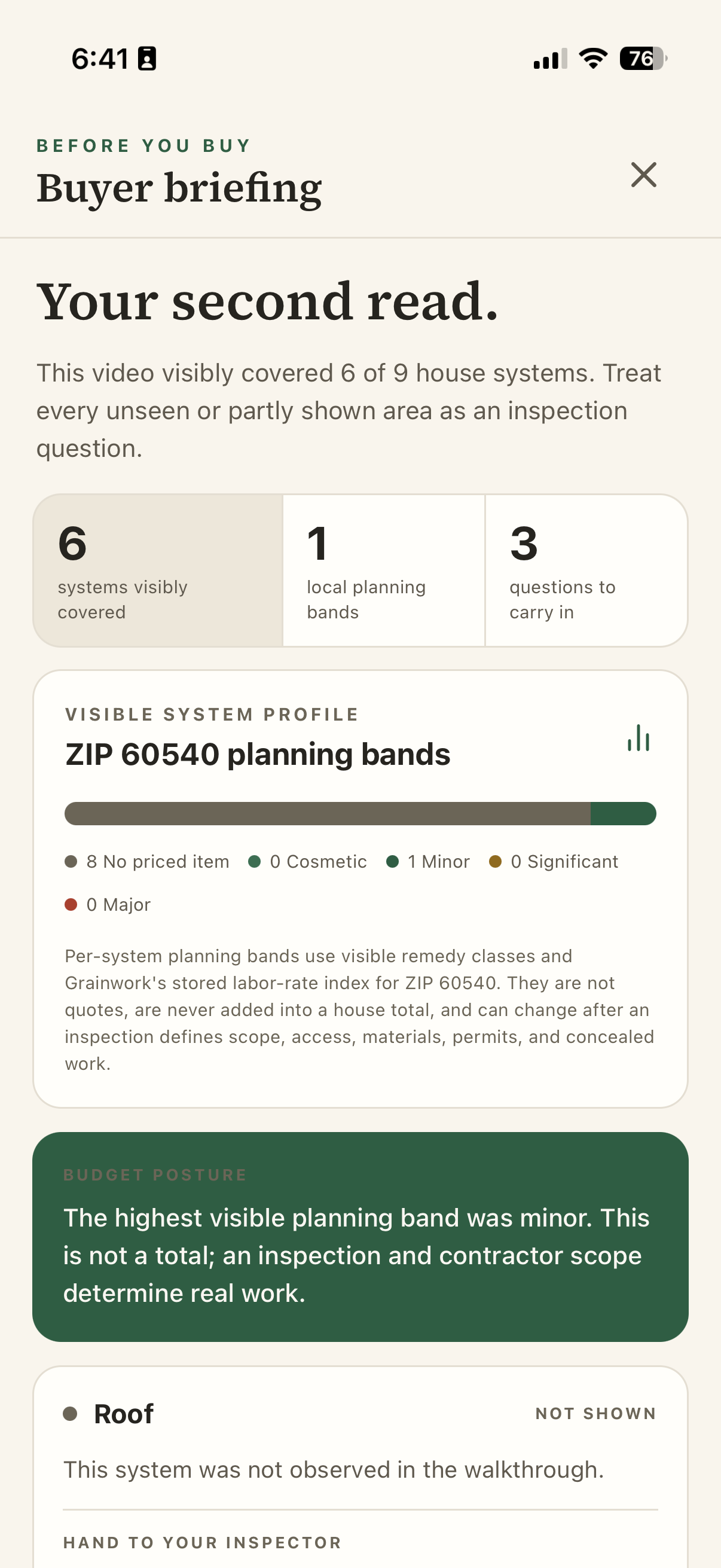
Grainwork uses AI to prepare a visual brief from the walkthrough. It lists visible findings, gaps in coverage and questions for the inspector. Review the brief before you share it with your client.
Actual Grainwork output from an iPhone walkthrough in August 2026. Planning ranges are broad estimates, not locally verified prices.
Buying, selling and after closing
Review visible concerns and areas the camera missed, then prepare questions for the inspector. If a repair range is available, use it as an initial planning estimate.
Compare saved homes using the facts, notes and questions you recorded at each one. Your client can weigh the tradeoffs without having to remember every showing.
Choose priorities with your seller and organize a 72-hour preparation plan around their budget, with the tasks and decisions recorded for that home.
Give your client the shared files, updates and decisions from the purchase. After closing, they can add maintenance, repairs and improvements to their own private home record.
How it works
Select a client, then add each home with its photos, questions and decisions.
Check the walkthrough findings and inspection questions against what you know about the property. Decide what to include in the client review.
Share the findings and agreed actions privately with your client. They can return to the review after your conversation. Your private working notes stay with you.
Clear boundary: Before You Buy is a visual planning aid, not a home inspection, diagnosis, code review, appraisal, or guarantee. It says what was not visible and what needs an onsite professional.
How it fits your business
Yes. Import selected clients by CSV while keeping your CRM, or manage clients and their home records in Grainwork. Both options support home reviews and private sharing. Salesforce integration is planned; automatic CRM syncing and MLS feeds are not connected.
Select findings from an inspection report to prepare a client review with page references and questions. Check it against the original report before sharing.
Leaders can view permitted totals of recorded homes and clients across their organization. Client names, addresses, notes, video, and decisions stay private to the people authorized for that file.
Brokerage names and colors are supported in selected workspace and client views. Agree the exact branding your team needs during pilot setup. Custom domains, branded email and a fully branded homeowner app require separate delivery.
Try Grainwork with your team
Tell us how your team works with buyers and sellers. We’ll agree which home to review, who will take part and what the pilot should test before you begin.
We’ll email a confirmation and review your request. If the pilot is approved, we’ll send setup instructions. This request has not created an account.
One last step: verify the invited email, then Grainwork opens the private workspace here.
Preparing secure sign-in…
Privacy by design: Pilot requests stay in Grainwork’s separate professional data system. Homeowner production data is not accessed. Grainwork never sells leads or client data.