Before you buy
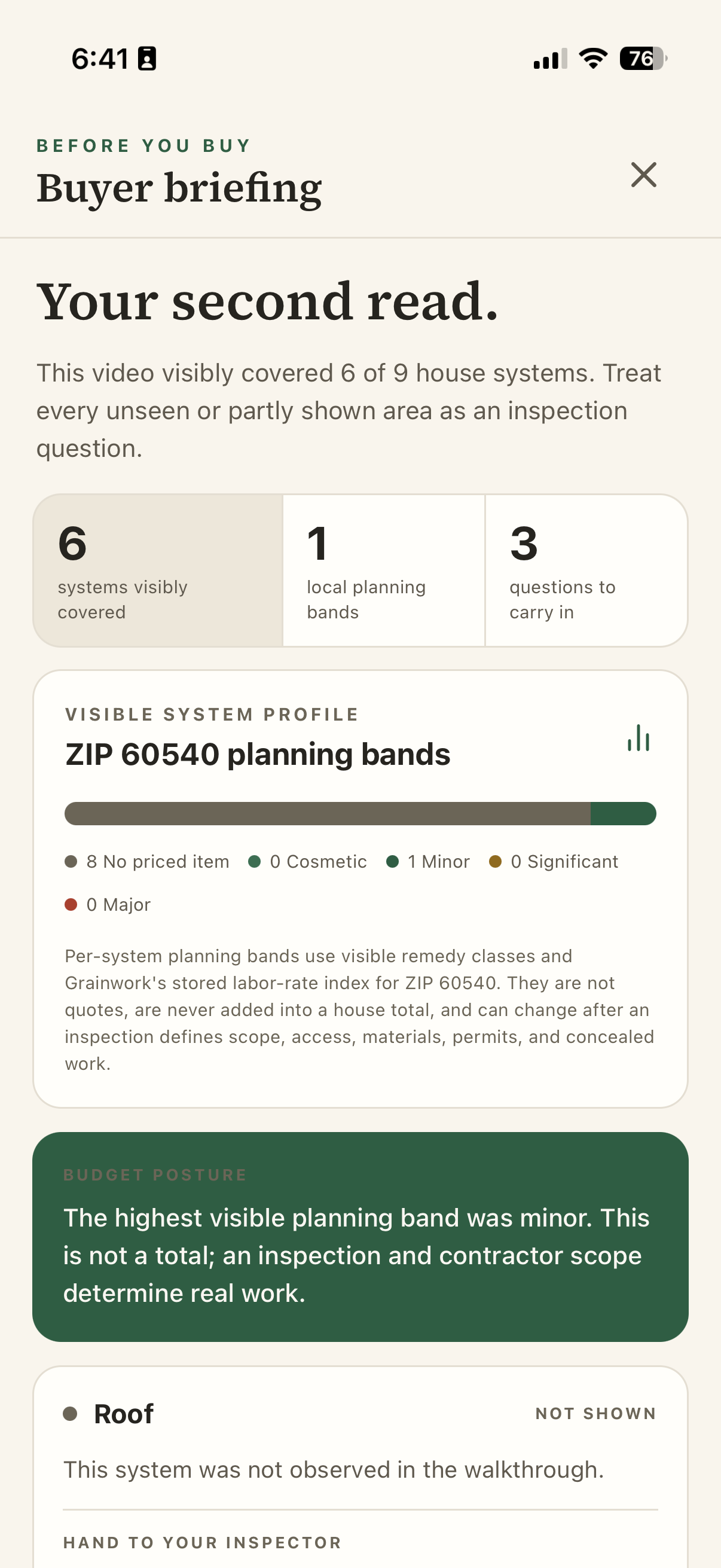
AI helps turn the walkthrough into a visual brief. Review the visible concerns, what the camera missed and questions for the inspector before sharing with the buyer.
For brokerages and buyer teams
Give buyers a home review they can use after the showing: visible concerns, inspection questions and what to do next. Your agents check the findings and choose what to share privately with each client.
What your team can use
AI helps turn the walkthrough into a visual brief. Review the visible concerns, what the camera missed and questions for the inspector before sharing with the buyer.
Compare saved homes alongside your notes, facts and open questions. Give clients the details they need to discuss the tradeoffs after the showings.
Agree on priorities and a budget with the seller, then organize the next 72 hours of preparation. Keep the tasks and decisions together.
Give clients the shared files, updates and decisions they will need after closing. Their own maintenance, repair and improvement notes can remain private as they make the home theirs.
What the client takes away
Add the homes your client wants to consider. Keep the photos, questions and decisions with the right property.
Check the camera coverage and findings, then prepare questions for the inspector or another onsite professional. Choose what to discuss with the buyer.
Give clients the reviewed findings and next steps they can revisit after your conversation. Private working notes stay with the agent.
Questions before you start
You can keep your CRM and import selected clients by CSV, or manage those clients and their home records in Grainwork. Both options support home reviews and private sharing. Salesforce integration is planned. Automatic CRM syncing and MLS feeds are not connected.
No. The brief records what the camera did and did not show and suggests questions for the inspector or another onsite professional. Planning ranges are not contractor quotes.
Leaders can view permitted totals of recorded homes and clients across their organization. Client names, addresses, notes, video and decisions stay with the people authorized for that file.
Brokerage names and colors are supported in selected workspace and client views. Agree the exact branding your team needs during pilot setup. Custom domains, branded email and a fully branded homeowner app require separate delivery.
No. A private upkeep item is not shown to the agent, sold, or routed to a contractor. The homeowner chooses whether to share anything later.
Yes. Prepare a client review from selected findings, with report references and questions kept together. Your agent checks the content before sharing. The review helps explain the report; it does not replace the inspector's judgment.